Rank Math Support Agent Controversy Explained: What WordPress Users Should Know (2026)
The WordPress community has been actively discussing a recent update related to the Rank Math SEO plugin, one of the most popular SEO plugins with millions of active installations.
The conversation began after developers and community members raised concerns about how a new Support Agent feature interacts with WordPress Application Passwords when users access the Help & Support section while connected to a Rank Math account.
It is important to understand that this has become a community discussion rather than a confirmed security breach. The debate centers around user consent, transparency, and how integrations with external services should behave inside WordPress.
In this article, we’ll explain what happened, why people are talking about it, how WordPress Application Passwords work, and what website owners can do to review their own sites.
What Started the Discussion?
The discussion gained attention after a developer in the WordPress community claimed that opening Rank Math’s Help & Support section while connected to a Rank Math account could automatically create a WordPress Application Password associated with the logged-in user.
According to those reports, the generated credential could then be used as part of the plugin’s Support Agent functionality. The primary concern raised was whether this process occurred before users were given sufficiently clear consent or notification.
The topic quickly spread across X (formerly Twitter), Reddit, and other WordPress communities, leading many users to examine how the feature works on their own websites.
Understanding WordPress Application Passwords
Before discussing the controversy further, it’s helpful to understand an important point:
Application Passwords are a legitimate WordPress Core feature.
They allow users to create separate credentials for external applications without sharing their main WordPress password.
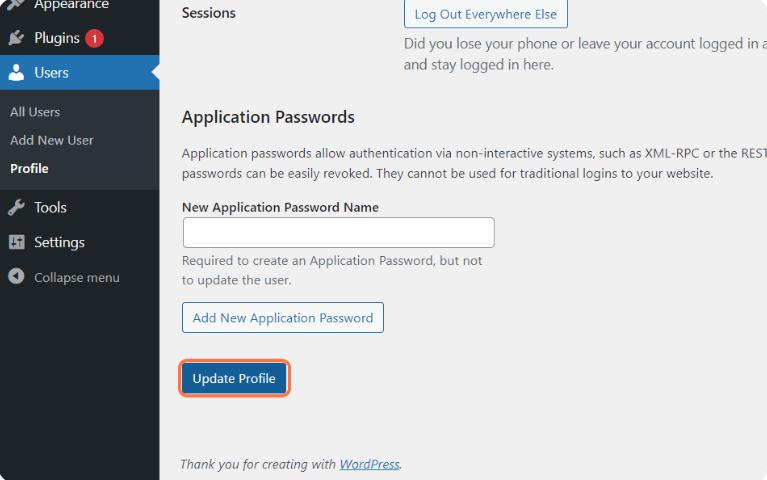
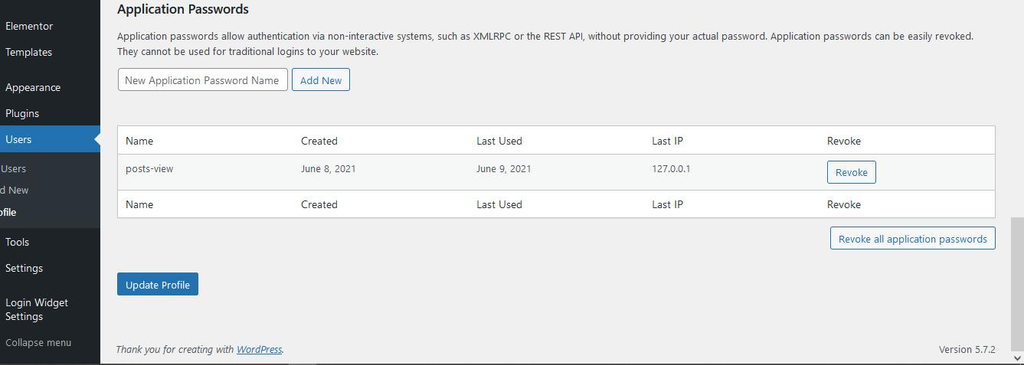
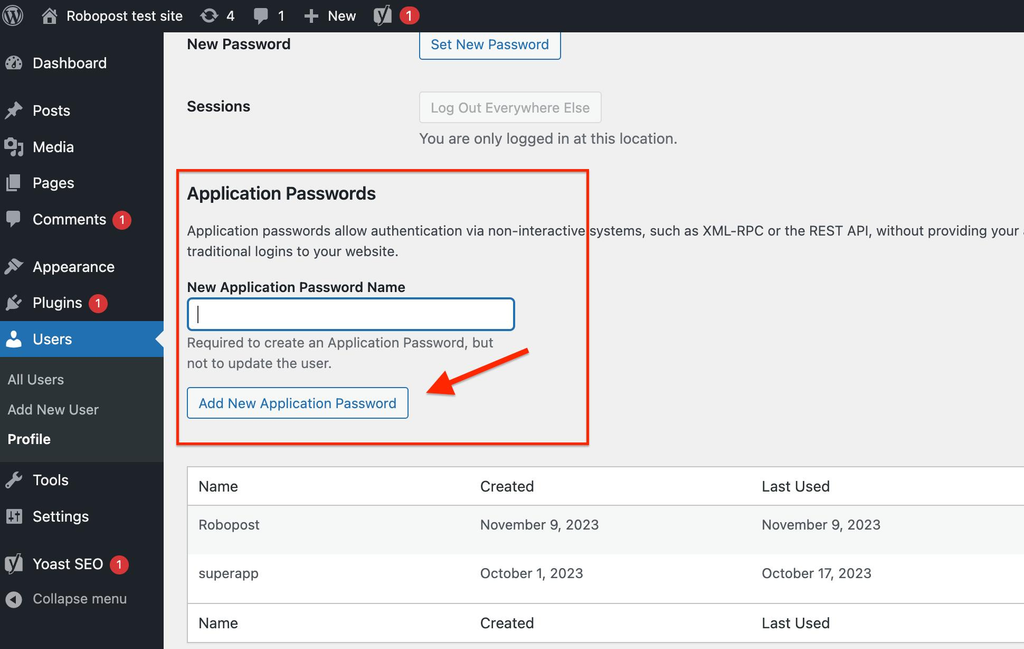
Some key characteristics include:
- They are created for individual applications.
- They can be revoked independently.
- They do not require changing the primary account password.
- They are commonly used by plugins and external integrations.
This means that the existence of an Application Password itself is not unusual—the discussion focuses on how and when it is created.
Why Is Consent Part of the Conversation?
One of the biggest points raised during the discussion involves explicit user consent.
WordPress plugin guidelines generally encourage plugins to obtain clear permission before communicating with external services or collecting user-related data.
Community members questioned whether the Support Agent flow provided users with sufficiently clear authorization before creating and transmitting an Application Password.
The broader discussion isn’t simply about technical functionality—it is about user expectations regarding transparency.
What Is the Support Agent Feature?
Rank Math recently introduced an AI-powered Support Agent designed to help users troubleshoot plugin-related questions directly inside WordPress.
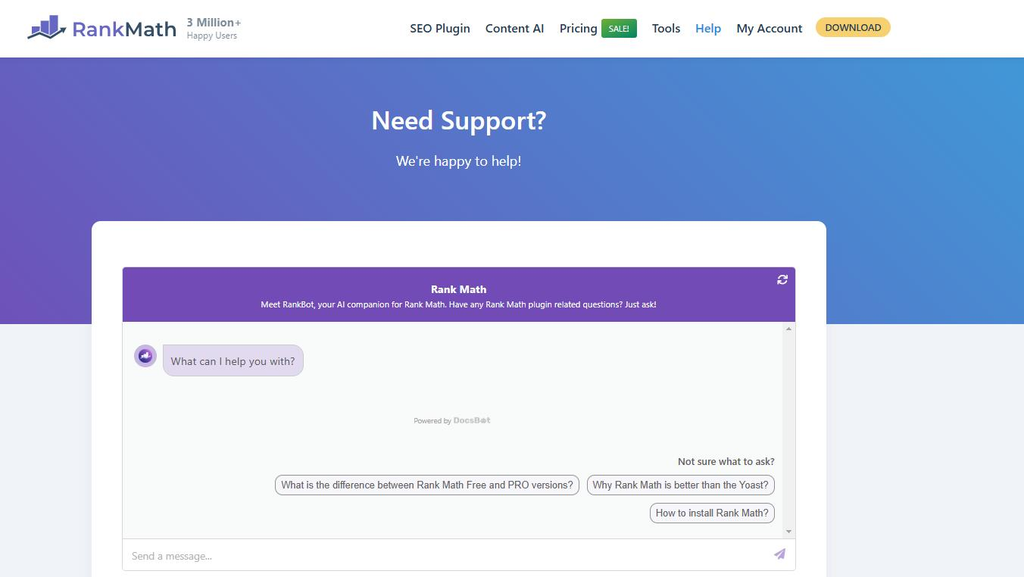
According to the plugin’s official listing, the feature aims to provide:
- faster support,
- AI-assisted troubleshooting,
- easier access to documentation,
- improved user experience.
The plugin listing also explains that certain features connect with external services when users choose to use those capabilities.
Why Are Developers Discussing Transparency?
Many experienced WordPress developers believe that integrations involving authentication should make every step clearly visible to users.
The recent discussion has highlighted several broader questions:
- Should every authentication-related action require an obvious confirmation screen?
- Should credentials created for support expire automatically?
- Should support-related integrations be disabled by default?
These questions are part of an ongoing conversation about user experience and privacy across the WordPress ecosystem—not only for one plugin but for many cloud-connected plugins.
Search Engine Journal
Is This a Confirmed Security Vulnerability?
This is one of the most important questions.
Based on publicly available reporting:
- The current discussion is primarily about how the Support Agent feature behaves.
- It is not the same as a confirmed remote compromise affecting every Rank Math installation.
- WordPress Application Passwords themselves are legitimate built-in functionality.
This distinction matters because many headlines use dramatic language, while the actual discussion focuses on implementation choices and user consent.
How Can You Check Your Own Website?
Whether you use Rank Math or any other plugin, reviewing connected credentials is a good security habit.
Step 1: Open Your WordPress Profile
Go to:
Users → Profile
Scroll down until you find the Application Passwords section.
Step 2: Review Existing Entries
Look for credentials you recognize.
If you see entries that are no longer needed, you can revoke them individually.
Step 3: Check Connected Services
Review:
- active plugin integrations,
- connected accounts,
- API connections,
- support-related features.
Removing unused connections helps reduce unnecessary access over time.
Security Best Practices for WordPress Sites
This discussion serves as a useful reminder that regular maintenance is important for every WordPress website.
Keep Plugins Updated
Always install updates after reviewing changelogs.
Remove Unused Plugins
Inactive plugins can still create unnecessary maintenance work.
Review Administrator Accounts
Only trusted users should have administrator access.
Enable Security Monitoring
Tools such as Wordfence or similar security plugins can help monitor login activity and changes.
Audit Application Passwords
Review them periodically, especially after connecting external services.
Why This Discussion Matters Beyond Rank Math
The larger takeaway is not limited to one plugin.
Modern WordPress plugins increasingly include:
- AI assistants,
- cloud integrations,
- external APIs,
- automated support tools.
As these features become more common, transparency around permissions becomes increasingly important.
Website owners benefit from understanding:
- what gets connected,
- what data is shared,
- how credentials are created,
- how access can be revoked.
These are healthy security practices regardless of which plugin you use.
What Should Existing Rank Math Users Do?
If you’re already using Rank Math:
- Review your Application Passwords.
- Check connected accounts.
- Read official plugin documentation.
- Install updates after reviewing release notes.
- Monitor future announcements from the developers.
There is generally no need for panic-driven decisions based solely on social media discussions. Instead, verify your own site’s configuration and make informed decisions based on official documentation and trusted security guidance.
Frequently Asked Questions
Is Rank Math unsafe?
The recent discussion focuses on how a support-related feature interacts with WordPress authentication. It should not automatically be interpreted as a universal compromise affecting every installation.
What is a WordPress Application Password?
It is a built-in WordPress feature that allows external applications to authenticate without exposing your main account password.
Should I delete Rank Math?
There is no one-size-fits-all answer. Review your site’s configuration, connected accounts, and official plugin documentation before making changes.
Can I revoke Application Passwords?
Yes. WordPress allows users to revoke individual Application Passwords from their user profile.
Why is the community discussing consent?
Developers have raised questions about whether authentication-related actions should involve clearer user authorization before credentials are created.