Common Mistakes I Made While Building WordPress Sites
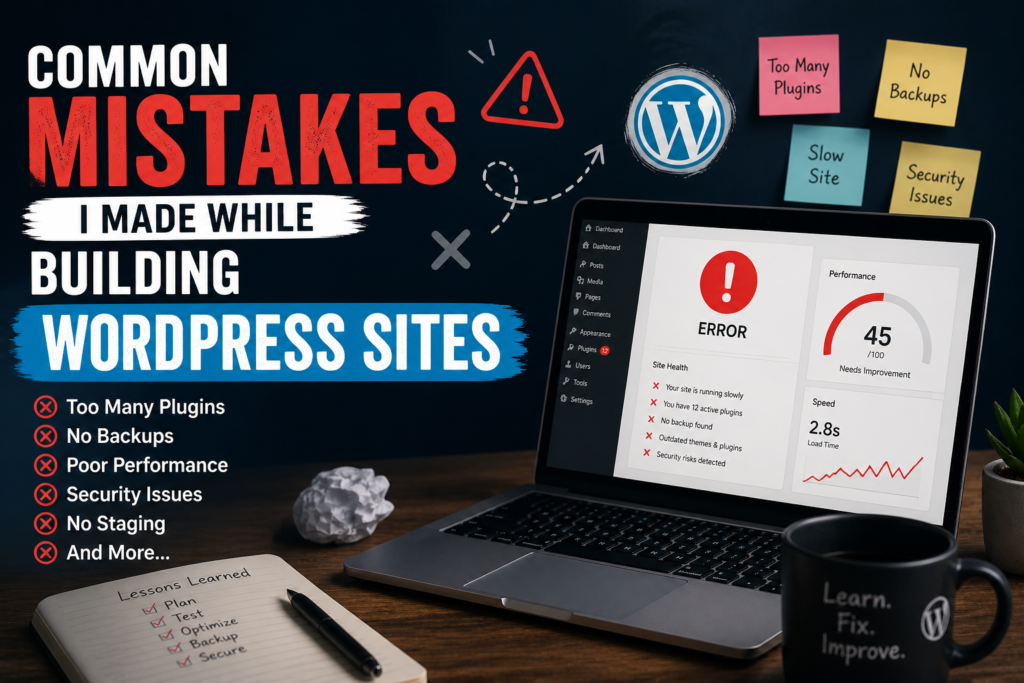
If you want a polished tutorial that makes the author look smart, this is not that post. This is a list of WordPress mistakes I earned the hard way while building WordPress sites for myself and for clients—messy installs, lazy shortcuts, and “temporary” fixes that became ghosts in the machine. I am sharing them so maybe your ghosts stay smaller than mine.
1. Treating plugins like free superpowers
Early on, every problem looked like a plugin away from solved. SEO plugin, cache plugin, security plugin, backup plugin, form plugin, pop-up plugin, social plugin, optimization plugin that promised to “boost speed by 900 percent” with a straight face. My sites did not become safer or faster. They became heavier, noisier, and harder to debug when something broke.
Now I ask a boring question first: can core WordPress or the theme handle this without another dependency? If I add a plugin, I want a clear owner for updates and a reason I can explain out loud in one sentence. Fewer moving parts means fewer 2 a.m. surprises.
2. Skipping staging and editing live like it could not go wrong
I told myself small changes were safe. Then I white-screened a homepage during business hours because I fat-fingered a closing tag in a template. Staging is not drama. It is insurance. These days, if the host offers staging, I use it. If not, I at least take a fresh backup before I touch anything that can take the whole site down.
“It is just a quick fix” is how my past self learned humility.
3. Ignoring backups until I needed them
I assumed hosting “had backups.” Sometimes they did. Sometimes the restore window was wrong. Sometimes the backup existed but restoring it was painful enough that I sweated through a manual cleanup instead. Now backups are non-negotiable: automated, tested occasionally, and stored somewhere that does not disappear if one account gets locked.
4. Using admin as the only weak point I worried about
I used strong passwords on the admin user and felt proud. Meanwhile I left unused themes installed, forgot to remove a test user, or left file permissions looser than they should be on a bad day. Security is a bundle of habits, not one hero password. I still learn here, but I stopped treating “I am not famous, nobody will hack me” as a strategy.
5. Chasing a heavy theme because the demo looked incredible
Demos load fast because they are tuned and filled with perfect assets. My real content was not the demo. I learned to judge themes on typography, structure, accessibility basics, and how much bloat ships by default—not on how cinematic the hero video looked.
6. Not naming things like my future self matters
Duplicate “Home” drafts, menus called “Menu 1,” media library full of IMG_4982 uploads, custom fields nobody documented. Future me was angry. Now I use clear titles, sensible file names, and short internal notes when I do something non-obvious. Kind documentation is a gift to sleepy-you at midnight.
7. Building forms and never testing the full path
The form “sent” in the sense that it showed a thank-you message. The email landed in spam, or SMTP was half-configured, or notifications went to an old address. I test end-to-end now: submit from a phone, check inbox and spam, confirm the client actually receives what they think they will receive.
8. Forgetting performance until the client complained
Uncompressed hero images, twenty webfonts, autoplay backgrounds, giant galleries without lazy loading—the classic hits. I try to bake performance in early now: reasonable image sizes, fewer font families, lazy loading where it helps, and a quick pass with real devices on slow networks. It is not about perfect scores. It is about not insulting the user’s time.
9. Changing permalinks without a plan
That one hurt. URLs changed, old links broke, shared bookmarks died. If permalinks must change, there should be redirects and a checklist, not hope. I treat URLs like contracts: break them carefully or not at all.
10. Mixing too many cooks in one WordPress admin
Everyone as Administrator because it was faster than explaining roles. Then someone installed something sketchy, or deleted a menu “by accident,” or edited a page with good intentions and bad timing. Role management is boring until it saves a project.
11. Migrating a site and forgetting the invisible strings
Moving a site sounds like copying files and a database. Then you find hard-coded old URLs in widgets, serialized data that breaks if you do a naive search-replace, or a config still pointing at the old domain. I learned to use trusted migration workflows, verify the front end and wp-admin on the new URL, and click through key templates—not only the home page. A migration is not done when the copy finishes. It is done when the owner can run the business on it without surprises.
12. Editing the parent theme instead of a child theme
I knew what a child theme was. I still took the shortcut once because “we will never update this theme.” The theme updated. My changes vanished into the sad history of bad assumptions. Child themes (or a proper custom theme) are not pedantry. They are memory for your work.
13. Assuming the client understands how to use WordPress
I handed over beautiful sites with no walkthrough. Clients broke layouts with good intentions, pasted giant images from email, or duplicated pages until the menu looked like a novel. A short Loom-style video or a one-page “how to edit this section” doc takes an hour and saves ten support emails. Training is part of the build, not an extra nicety.
14. Letting “we will fix accessibility later” become never
Later rarely comes for small budgets. Basics matter early: meaningful button text instead of “click here,” heading order that makes sense, alt text on important images, contrast that does not fight the reader. I am still learning accessibility, but I stopped treating it like a polish layer you can bolt on after launch without pain.
What I do differently now (short checklist)
- Fewer plugins, clearer reasons. Each one earns its place.
- Staging or backup before risky edits. No exceptions for “tiny” changes on live client sites.
- Test forms and emails like a user. Not like someone who already trusts the stack.
- Light theme, honest images, lazy load where it helps.
- Least privilege for users. Admin is rare, not default.
- Clean house: remove unused themes/plugins, audit users, note weird customizations.
Closing thought
Everyone who spends real time building WordPress sites collects a personal museum of mistakes. The goal is not a spotless record. The goal is to stop repeating the expensive ones. If this list felt a little too familiar, you are in good company—and if one line saves you even one bad afternoon, then writing it down was worth it.