AEO in WordPress: How to Get Your Content Picked Up by Answer Engines
What AEO Actually Means
Answer Engine Optimization is the practice of structuring your content so AI-powered answer systems can:
- Find the right page on your site
- Understand what question it answers
- Pull a clear, accurate snippet from it
- Optionally cite you as the source
You’re not trying to trick an AI. You’re trying to be the obvious answer — the page that reads like it was written specifically for the question someone just asked.
On WordPress, that mostly comes down to:
- How you write (clarity beats cleverness)
- How you structure pages (headings, FAQs, short definitional paragraphs)
- How you mark up content (schema, entities, authorship)
- How trustworthy your site looks (E-E-A-T signals, fresh content, real expertise)
Why WordPress Is a Good Fit for AEO
WordPress already gives you most of the building blocks:
- Clean URL structure
- Heading hierarchy via the block editor
- Plugins for schema, redirects, and performance
- Easy FAQ and how-to page templates
- A publishing workflow your team already uses
You don’t need a custom headless stack to do AEO well. You need discipline — and a few intentional setup choices.
Step 1: Start With Questions, Not Keywords
Old SEO habit: “best ceramic coating installer near me”
AEO habit: “How long does ceramic coating last on a car?”
Answer engines work from questions and intent, not keyword density. Before you write or update a page, list the real questions your customers ask — sales calls, support tickets, Google Search Console queries, Reddit threads, whatever you have.
For each question, ask:
- Does one page on our site answer this clearly?
- Is the answer in the first few paragraphs?
- Would a human reading only that section walk away satisfied?
If not, fix the page before you touch any plugin.
WordPress tip: Create a simple spreadsheet or Notion doc mapping Question → URL → Last updated. This becomes your AEO content map. Update it quarterly.
Step 2: Write “Answer-First” Content Blocks
Answer engines love content that gets to the point fast.
A simple pattern that works on WordPress pages and posts:
## [Exact question as H2]

[40–80 word direct answer in plain language]

### Why this matters
[Short context]

### Step-by-step / details
[Supporting depth for humans and crawlers]
Example for a coating brand:
How long does ceramic coating last?
Most professional-grade ceramic coatings last between 2 and 5 years with proper maintenance, depending on product tier, climate, and how often the vehicle is washed. Entry-level coatings may last 1–2 years; flagship systems can exceed 7 years in ideal conditions.
That opening paragraph is what an answer engine wants. Everything below supports it.
In the WordPress block editor, use Heading blocks for questions and keep paragraphs short. Avoid burying the answer under three paragraphs of brand story.
Step 3: Build Real FAQ Pages (Not FAQ Spam)
FAQs are AEO gold — when they’re genuine.
Bad FAQ: 50 questions nobody asks, stuffed with keywords.
Good FAQ: 8–15 questions your customers actually ask, each with a concise answer and a link to a deeper page if needed.
On WordPress:
- Use an FAQ block (Yoast, Rank Math, or dedicated FAQ plugins)
- Or hand-code FAQ schema with a schema plugin
- Group FAQs by topic: Product, Installation, Warranty, Shipping
Each FAQ item should be self-contained. Don’t write “see above” — answer engines won’t follow that logic reliably.
Step 4: Implement Schema Markup Properly
Schema tells machines what your content is: a product, a how-to, a FAQ, an article, a local business.
For AEO, prioritize:
| Schema type | Use when |
|---|---|
FAQPage | Dedicated FAQ sections |
HowTo | Installation guides, tutorials |
Article / BlogPosting | Blog posts with author + date |
Product | WooCommerce products |
Organization | Site-wide brand identity |
LocalBusiness | Location/service pages |
WordPress plugins that help:
- Rank Math or Yoast SEO — solid defaults for Article, FAQ, Product
- Schema Pro — more control for complex setups
- WooCommerce — product schema basics out of the box
Important: Schema must match visible content. If your FAQ schema says something your page doesn’t show, you’re hurting trust — with Google and with answer engines.
Step 5: Strengthen E-E-A-T on WordPress
Answer engines bias toward sources that look credible:
- Experience — show real work, case studies, photos
- Expertise — author bios with credentials
- Authoritativeness — mentions, certifications, industry partnerships
- Trustworthiness — clear contact info, privacy policy, HTTPS, reviews
Practical WordPress moves:
- Add author boxes on blog posts (name, role, short bio, LinkedIn)
- Create an About page that names real people, not stock copy
- Display reviews/testimonials with schema where appropriate
- Keep publish and update dates visible on evergreen content
- Use a real contact page with address, phone, and business hours
For WooCommerce sites, product pages with installation guides, warranty terms, and SDS sheets signal expertise better than marketing fluff.
Step 6: Technical Basics That Still Matter
Answer engines crawl your site like search engines do. Slow, broken, or blocked pages don’t get cited.
Checklist for WordPress:
- HTTPS everywhere
- Mobile-friendly theme
- Page speed under control (caching, image compression, lazy load)
- No accidental
noindexon important pages - XML sitemap submitted and current
- Clean permalink structure (
/how-long-ceramic-coating-lasts/not?p=4821) - Internal links from related posts to pillar content
Plugins like WP Rocket, LiteSpeed Cache, or host-level caching make a real difference. So does serving WebP images.
Step 7: Create “Definition” and “Comparison” Pages
Answer engines frequently answer:
- “What is X?”
- “X vs Y — which is better?”
- “How much does X cost?”
These deserve dedicated WordPress pages — not one paragraph inside a blog post from 2019.
Page types worth building:
- Glossary pages — one term per page or a structured glossary hub
- Comparison pages — “Ceramic coating vs wax”, “PPF vs ceramic”
- Pricing explainer pages — ranges, factors, not just “contact us”
Each page should open with a direct answer, then go deeper.
Step 8: Keep Content Fresh (AI Notices Stale Pages)
An answer engine would rather cite a page updated in 2025 than one that says “prices may change in 2018.”
WordPress workflow:
- Add
Last updated: [date]to key pages (many themes support this) - Review top 20 pages every 90 days
- Update stats, product names, regulations, and screenshots
- Redirect or merge outdated posts instead of leaving them live
Use Revision history in WordPress to track what changed — helpful for compliance-heavy industries.
Step 9: Measure What You Can (AEO Analytics Is Still Early)
Traditional SEO has Search Console. AEO is messier — you can’t always see when ChatGPT cited you.
Still worth tracking:
- Referrals from
chat.openai.com,perplexity.ai, and similar - Branded search volume increases
- “How did you hear about us?” form fields
- Manual checks: ask AI tools your target questions monthly and note if your brand appears
Set a recurring calendar reminder: first Monday of the month, run 10 test queries.
AEO WordPress Plugin Stack (Simple Starting Point)
You don’t need everything. A sensible starter stack:
| Need | Plugin type |
|---|---|
| SEO + schema basics | Rank Math or Yoast SEO |
| Performance | WP Rocket or host cache |
| FAQ schema | Built into SEO plugin or Schema Pro |
| Author bios | Simple Author Box or theme feature |
| Redirects | Redirection plugin |
| Image optimization | ShortPixel or Imagify |
Avoid installing five SEO plugins. They’ll fight each other and duplicate schema.
Common AEO Mistakes on WordPress
Mistake 1: Writing for robots, not humans
If it sounds unnatural, it won’t get cited.
Mistake 2: Thin FAQ pages
One-sentence answers with no depth don’t build authority.
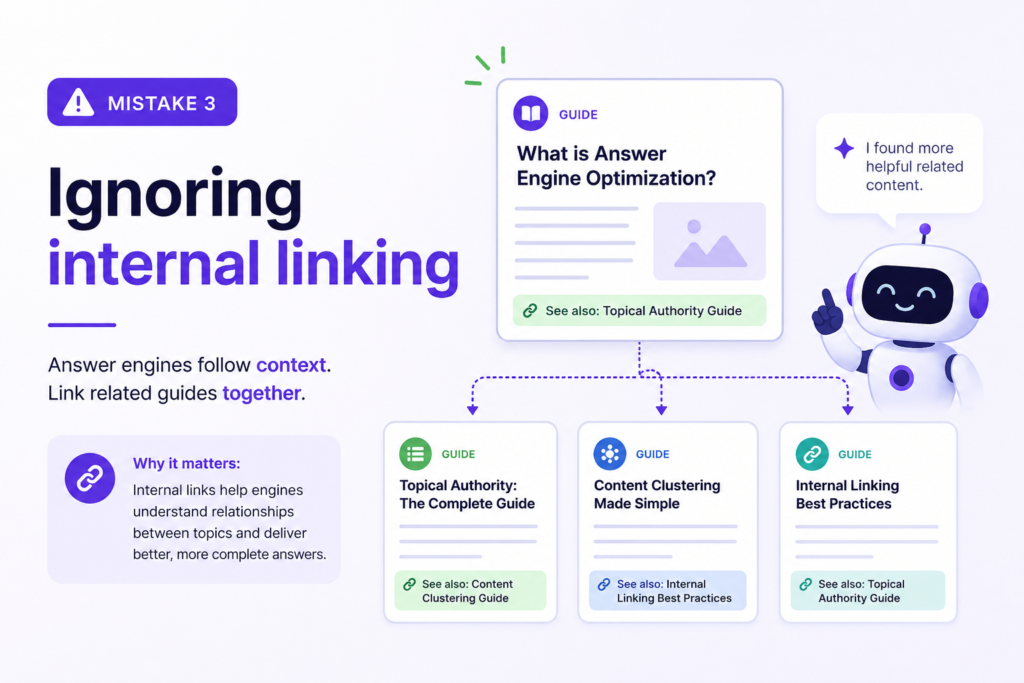
Mistake 3: Ignoring internal linking
Answer engines follow context. Link related guides together.
Mistake 4: Hiding answers in PDFs only
Put the answer on an HTML page. PDFs are secondary.
Mistake 5: No author identity
Anonymous blog posts are harder to trust.
A 30-Day AEO Implementation Plan for WordPress
Week 1 — Research
- List 30 customer questions
- Map each to an existing or new URL
- Audit top 10 pages for answer-first structure
Week 2 — Structure
- Rewrite openings on priority pages
- Add or improve FAQ sections
- Fix heading hierarchy (one H1, logical H2/H3)
Week 3 — Technical
- Validate schema with Google Rich Results Test
- Speed audit (GTmetrix or PageSpeed Insights)
- Fix crawl issues in Search Console
Week 4 — Authority
- Add author bios
- Publish one definitive guide
- Update dates on evergreen content